1. SEOmatic (Best for Executing the SEO Work, Not Just Structuring It)
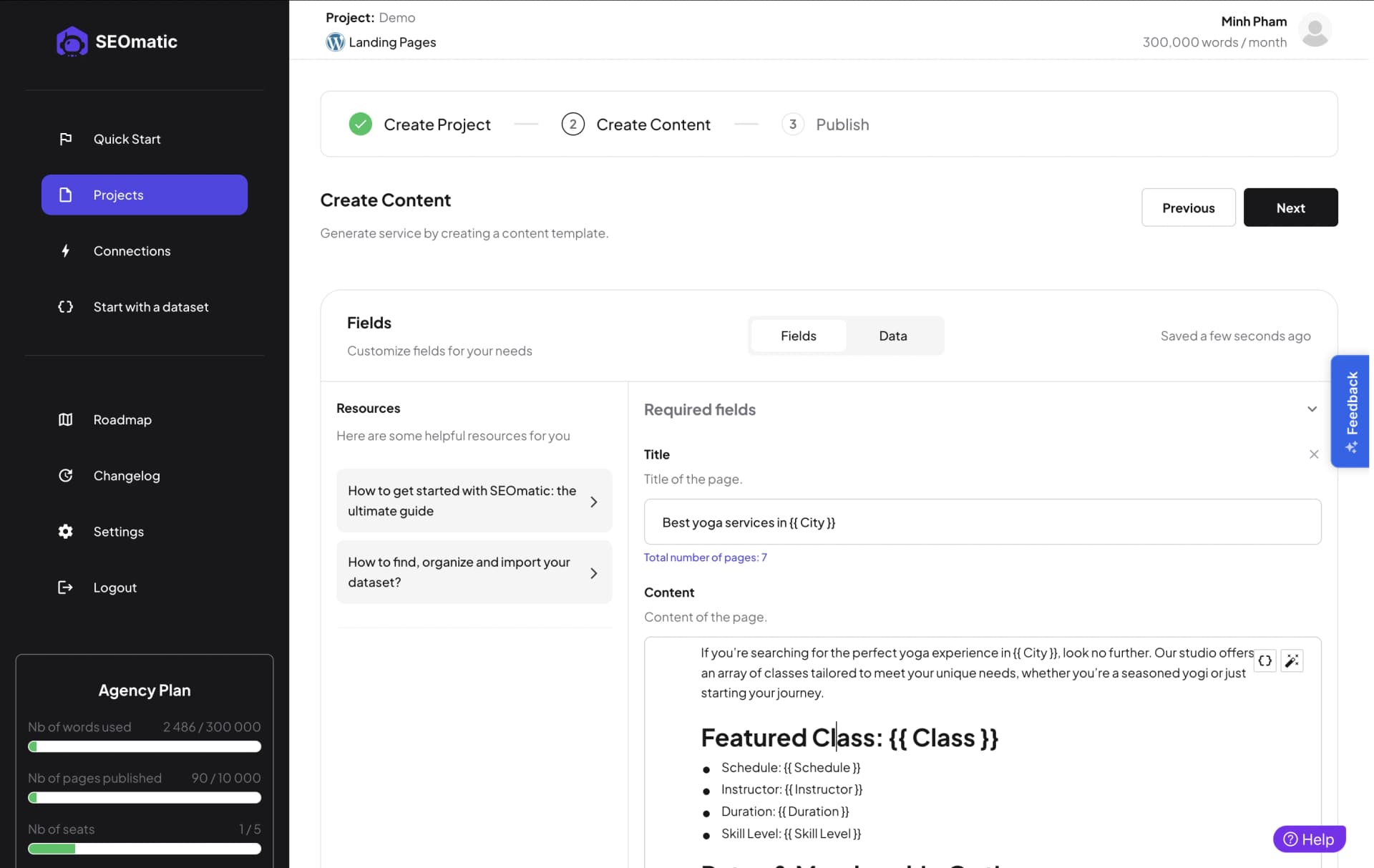
SEOmatic is the one entry here that is not a plugin, and that is the point. The four plugins below give WordPress the right fields and controls; SEOmatic is the agent that fills them. It connects to your Google Search Console, diagnoses the site, proposes a ranked plan, and then executes 40 types of SEO tasks, from meta titles and descriptions to internal links, schema, content refreshes and programmatic pages, writing real changes into WordPress. If you run Yoast, Rank Math, AIOSEO or SEOPress, it writes the metadata into your plugin's own fields, so the two layers work together rather than compete.
Control is the default: every change waits for your approval unless you choose otherwise, booking and checkout pages are locked in code, each edit to an existing page keeps a copy of the original that one click puts back, and every change is compared with how the rest of the site did over the same weeks so the monthly report shows earned lift, losses included. Because it publishes across 15 CMS platforms, agencies with mixed portfolios run one tool instead of one per stack.
The honest caveats: at $99, $249 and $699 a month with a 14-day trial for $1, credited to the first payment, it costs more than any plugin, because it replaces the labor rather than the fields. And it has no third-party review footprint yet, so the quote below is a customer's words rather than a review-platform excerpt.
“Each local area page used to take us half a day to create and optimize. With SEOmatic, we can create hundreds of pages in the same time, which helps our clients make the best use of their budget. It’s transformed how we deliver scalable SEO solutions.”

Will Hawkins
Marketing Director (SEOmatic customer)
Pros
- ✔️Writes metadata into your existing plugin's own fields, no switching cost
- ✔️Executes 40 task types, from internal links to schema and programmatic pages
- ✔️One tool covers mixed portfolios, 15 CMS platforms rather than one per stack
Cons
- ✘Not a plugin, so it adds no editor-level checks inside wp-admin
- ✘Costs more than any plugin here because it replaces the labor, not the fields
What You'd Get From Working With SEOmatic
The only tool on this list that executes the work: 40 task types written into WordPress, including into your SEO plugin's own fields
Approval Workflow by default, One-Click Rollback, and Protected Pages locked in code
Holdout Testing proves what each change earned, across 15 CMS platforms, not just WordPress
2. Yoast SEO Premium (Best Safe On-Page Default)
Yoast is the incumbent for a reason: it has structured on-page SEO for WordPress since 2010, and its 4.8-star average across 27,819 WordPress.org reviews is the largest verified track record in this category. Premium, at 118.80 euros a year excluding VAT, adds redirects, internal linking suggestions, multiple-keyword optimization and AI-assisted metadata to the free core that tens of millions of sites already run.
The recent reviews carry a warning worth reading before you upgrade: a visible cluster complains about forced AI features and labeling, interface bloat and upsell pressure, including a customer of ten years announcing their exit over the direction of the product. None of it disputes that the SEO plumbing works; it disputes how the plugin behaves in your admin while it works.
If you want the most battle-tested, least surprising way to structure on-page SEO, and you can live with the marketing inside the product, Yoast remains the safe default.
“The Easiest and Most Reliable SEO Plugin”
Mehraz Morshed
WordPress.org review
Pros
- ✔️4.8 stars across 27,819 WordPress.org reviews, the largest verified record here
- ✔️Premium adds redirects, internal link suggestions and multi-keyword optimization
- ✔️Sixteen years of core-update compatibility, the least surprising client-site pick
Cons
- ✘Recent reviews cluster on forced AI features, interface bloat and upsell pressure
- ✘A ten-year customer publicly announced their exit over the product direction
What You'd Get From Working With Yoast SEO Premium
The largest verified track record in the category: 4.8 stars across 27,819 WordPress.org reviews
Redirect manager, internal linking suggestions and multi-keyword optimization in Premium
Sixteen years of core-update compatibility, the least surprising choice for a client site
3. Rank Math PRO (Best Feature Depth Per Dollar)
Rank Math won its market share the direct way: it gives away most of what Yoast charges for. The free version covers schema, redirects, multiple keywords and Search Console integration, and PRO, at 95.88 euros a year, adds keyword rank tracking, advanced schema, and GSC-powered analytics inside WordPress. For feature depth per dollar, nothing in the plugin field touches it.
The record has a specific bruise to know about: a recurring negative theme on WordPress.org, summed up by one reviewer's title "Buyer Beware: Forced Add-On Subscription Hidden in Checkout," describes add-on charges appearing pre-selected at purchase. The functionality complaints are far rarer than the billing ones, which tells you the product is stronger than the checkout experience.
Power users who read their cart before clicking pay get the most capable plugin on this list at the second-lowest price.
“Actually the best”
goddin
WordPress.org review
Pros
- ✔️The most generous free tier here: schema, redirects, multiple keywords, GSC
- ✔️PRO adds rank tracking and GSC analytics inside WordPress for 95.88 euros a year
- ✔️Import wizards migrate Yoast and AIOSEO settings in minutes
Cons
- ✘A recurring WordPress.org theme reports add-ons pre-selected at checkout
- ✘One review title puts it plainly: Buyer Beware, Forced Add-On Subscription Hidden in Checkout
What You'd Get From Working With Rank Math PRO
The most generous free tier in the category: schema, redirects and GSC integration at no cost
PRO adds rank tracking and analytics inside WordPress for 95.88 euros a year
Built-in import wizards migrate settings from Yoast and AIOSEO in minutes
4. AIOSEO (Best Guided Setup for Beginners)
All in One SEO is the oldest name in WordPress SEO and, today, the most beginner-guided: setup wizards, plain-language checklists and TruSEO scoring walk a first-time site owner through on-page basics that other plugins assume you know. The advertised entry price is 49.50 euros for the first year, and the disclosure that belongs next to it: that is an introductory rate, and renewals run at the full price of roughly 99 euros a year, which is stated on its pricing page but easy to miss.
The negative record has a consistent multi-year theme: reviewers report companion plugins appearing without clear consent and persistent nagging inside the admin. As with Rank Math, the complaints target behavior rather than broken SEO functionality, but the pattern recurs across years of reviews, so weigh it if you keep a tight plugin list.
For a beginner who wants to be walked through WordPress SEO step by step, AIOSEO's guidance is genuinely the best in class. Just budget for year two's real price.
“An outstanding SEO plugin I have trusted for years”
djfido
WordPress.org review
Pros
- ✔️Setup wizards, plain-language checklists and TruSEO scoring for first-timers
- ✔️The best guided onboarding in the category by a clear margin
- ✔️Two decades of WordPress history and a large free install base
Cons
- ✘49.50 euros is year-one only, renewals run near 99 euros a year
- ✘Years of reviews report companion plugins appearing without clear consent
- ✘Persistent nagging inside the admin is a consistent multi-year theme
What You'd Get From Working With AIOSEO
The most beginner-friendly onboarding in the category: wizards, checklists and TruSEO scoring
49.50 euros intro pricing for year one, with renewals at roughly 99 euros disclosed on its pricing page
Two decades of WordPress history and a large free install base on WordPress.org
5. SEOPress PRO (Best Budget and White-Label Pick)

SEOPress is the quiet operator of this list: PRO costs $49 a year for unlimited sites, it is fully white-label so agencies can rebrand it in client admins, and it covers the on-page essentials, meta, schema, sitemaps, redirects, breadcrumbs, without the upsell theater its rivals get reviewed for. For an agency running dozens of WordPress installs, the per-site math is not close.
The trade-off is track record thickness. SEOPress has the thinnest review base of the four plugins here, and its negative record, while small, includes occasional update breakage reports, which matters more when fewer users are finding issues before you do. Test updates on staging before rolling them across a client fleet.
If you want the essentials, unlimited sites and your own brand on the plugin, at a price that reads like a typo next to the competition, SEOPress is the pick.
“The Best SEO Plugin I've Ever Used - Easy, Beautiful, and Affordable!”
webport.studio
WordPress.org review
Pros
- ✔️$49 a year for unlimited sites, the lowest cost per site here
- ✔️Fully white-label, agencies rebrand it inside client admins
- ✔️Meta, schema, sitemaps, redirects and breadcrumbs without the upsell theater
Cons
- ✘The thinnest review base of the four plugins, fewer users catch issues first
- ✘Occasional update breakage reports, so test on staging before a fleet rollout
What You'd Get From Working With SEOPress PRO
PRO covers unlimited sites for $49 a year, the lowest cost per site in the category
Fully white-label: agencies can rebrand the plugin inside client admins
The essentials without the upsell theater competitors get reviewed for
Conclusion
The WordPress SEO plugin market is mature, crowded and, on the evidence of its own reviews, more differentiated by behavior than by SEO capability: all four plugins here handle meta, schema and sitemaps competently, and the recent complaints are about checkouts, nagging and bloat rather than broken functionality. Pick the plugin whose conduct you can live with: Yoast for the longest record, Rank Math for depth per dollar, AIOSEO for guided setup, SEOPress for budget and white-label. We left Semrush and Ahrefs off deliberately: they are excellent research suites with zero WordPress-specific positioning, which makes them squatters on this keyword. And remember the distinction the category blurs: every plugin gives you fields, and someone still has to fill them. If that someone should be software with your approval on every change, that is the slot SEOmatic occupies.



