1. SEOmatic (Best for Executing SEO Fixes in Webflow)
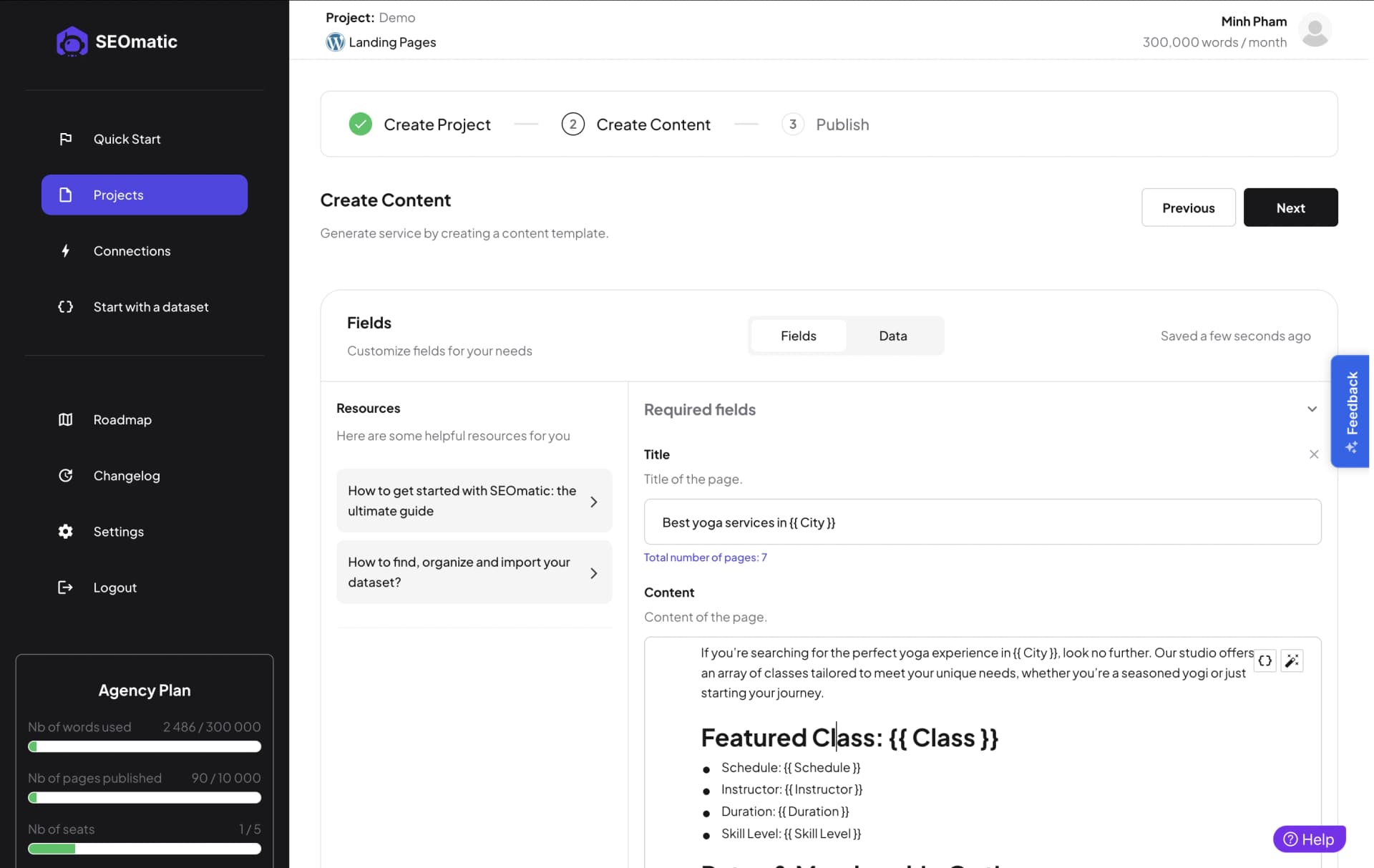
SEOmatic connects to Webflow through real OAuth publishing and does what the rest of this list points at: it executes. It reads your Google Search Console data, diagnoses the site, proposes a ranked plan, and then its agents ship the fixes, metadata, content refreshes, internal links, schema and programmatic pages, directly into your Webflow CMS. Approval is the default on every change, each edit to an existing page keeps a copy of the original that one click puts back, and every change is compared with how the rest of the site did over the same weeks so the report shows earned lift, losses included.
The honest framing: SEOmatic is not a Webflow-native app that lives in the Designer panel. It is a multi-CMS SEO agent, Webflow is one of 15 platforms it publishes to, and if what you want is a helper inside the Designer while you hand-craft each page, the tools below fit that shape better. SEOmatic fits when you want the SEO work done and proven rather than assisted.
Plans run $99, $249 and $699 a month with a 14-day trial for $1, credited to the first payment. Like most of this young category it has no third-party review footprint yet, so the quote below is a customer's words rather than a review-platform excerpt.
“Early user of SEOmatic here. You've built an amazing tool that lets people create and manage bulk seo pages without all the painful hurdles. Keep up the good work!”

Nick Berns
Agency Owner (SEOmatic customer)
Pros
- ✔️Real OAuth publishing writes fixes into your Webflow CMS
- ✔️Ranks every fix by value from your Search Console data first
- ✔️Approval by default, one-click rollback, holdout-tested proof of lift
Cons
- ✘Not a Webflow-native app, it does not live in the Designer panel
- ✘No third-party review corpus yet, so no review-platform record to check
What You'd Get From Working With SEOmatic
Real Webflow OAuth publishing: fixes are written into your Webflow CMS, not listed in a report
Approval Workflow by default with One-Click Rollback on every change
Holdout Testing proves what the work earned, and the same tool covers 17 more CMS platforms
2. Semflow (Best Guided In-Designer Co-Pilot)

Semflow is the friendliest way to do SEO without leaving the Webflow Designer: a guided co-pilot that audits your pages, explains each issue in plain language, and walks you through fixing metadata, alt text and on-page issues right where you build. At $14 a month it is priced for the freelancers and small studios that make up most of Webflow's user base.
The shape to understand is guided, not automated: Semflow shows you what to fix and makes the fixing convenient, but you are still the one doing each page, which is fine at portfolio-site scale and wearing at hundreds of CMS items. Its public review footprint is small but real, which in this category counts as a distinction.
For a designer who wants SEO handled properly during the build, inside the tool they already live in, Semflow is the natural first pick.
“Semflow has saved me a lot of time on the SEO of my Webflow sites.”
Shreyas K.
Product Hunt review
Pros
- ✔️Explains every issue in plain language without leaving the Designer
- ✔️$14/mo suits the freelancers and small studios Webflow is built on
- ✔️One of the few tools in this young category with real public reviews
Cons
- ✘Guided, not automated, you still fix every page yourself
- ✘Wearing at hundreds of CMS items, fine at portfolio-site scale
What You'd Get From Working With Semflow
Guided in-Designer audits that explain each issue in plain language as you build
Priced for freelancers and studios at $14/mo
One of the few tools in this young category with real public reviews
3. FluidSEO (Best Bulk Metadata and Schema Editor)

FluidSEO is the workhorse of the Webflow app ecosystem: bulk metadata editing, AI-generated alt text, and schema deployment across your whole site from inside the Designer, with more than 5,000 installs to its name, the largest verifiable footprint of any Webflow-native SEO app. For anyone managing a Webflow CMS with hundreds of items, the bulk editing alone justifies the price.
One pricing flag to read carefully: the plan labeled "Basic" at $39 is a 14-day access pass, not a monthly subscription, and the real ongoing entry price is $24 per user per month. Nothing about that is hidden, but the labeling rewards a careful read, and we would rather you do the math before checkout than after.
If your Webflow SEO problem is volume, metadata and alt text and schema across a big CMS, FluidSEO is the strongest dedicated tool for the job.
“Insanely huge time saver.”
Kaleb Jae
Webflow App Marketplace review
Pros
- ✔️Bulk metadata, AI alt text and schema across large CMS collections
- ✔️5,000+ installs, the largest verifiable footprint of any Webflow SEO app
- ✔️Runs inside the Designer where you already manage the site
Cons
- ✘The $39 "Basic" plan is a 14-day access pass, not a subscription
- ✘Real ongoing pricing is $24 per user per month, so team cost multiplies
What You'd Get From Working With FluidSEO
Bulk metadata, AI alt text and schema deployment across large Webflow CMS collections
The largest verifiable footprint of any Webflow-native SEO app, with 5,000+ installs
Real ongoing pricing from $24 per user per month; the $39 "Basic" is a 14-day pass, so read the labels
4. AI SEO Copilot (Best Free Open-Source Checker)
AI SEO Copilot is the category's free lunch: an open-source Webflow app that runs 18 SEO checks on your pages from inside the Designer, covering the on-page fundamentals, at no cost, with the code public for anyone to inspect or extend. For a solo builder who wants a competent pre-publish checklist without another subscription, it is exactly the right amount of tool.
The honest limits: it checks rather than fixes, so every issue it finds is still yours to resolve by hand, and its public footprint is thin, no meaningful review record exists yet, which is why it runs quoteless here. Open-source code is its own form of accountability, but a small project's pace of maintenance is worth watching before you build a workflow on it.
As a free quality gate on every Webflow publish, it earns its slot.
Pros
- ✔️Free and open source, with the code public to inspect or extend
- ✔️18 on-page SEO checks run inside the Webflow Designer
- ✔️A competent pre-publish quality gate without another subscription
Cons
- ✘Checks rather than fixes, every issue is yours to resolve by hand
- ✘No meaningful review record exists yet, and a small project's maintenance pace is worth watching
What You'd Get From Working With AI SEO Copilot
Free and open-source, with the code public to inspect or extend
18 on-page SEO checks that run inside the Webflow Designer
The right amount of tool for solo builders who want a pre-publish checklist, not a platform
5. Graphite (Best Free Audit With AEO Scoring)
Graphite is the most forward-looking of the Webflow-native tools: alongside a conventional site audit it scores your pages for AEO, how well AI answer engines can parse and cite them, which no other app in the Webflow ecosystem attempts. There is a free plan, so the audit costs nothing to run, and for a Webflow team starting to think about AI search it is the cheapest possible education.
The caveats are the young-category ones, stated plainly: paid pricing is unverified at the time of writing, no independent review record exists, which is why Graphite also runs quoteless here, and like every audit tool the output is a list of findings, with the fixing left to you.
Run the free audit, take the AEO score as a directional signal rather than a grade, and treat the findings as next sprint's backlog.
Pros
- ✔️The only Webflow-native tool that scores pages for AEO
- ✔️A free plan makes the audit costless to run on any site
- ✔️The cheapest education in AI-search readiness for a Webflow team
Cons
- ✘Paid pricing is unverified at the time of writing, with no independent review record
- ✘Output is a list of findings, the fixing is left to you
What You'd Get From Working With Graphite
The only Webflow-native tool that scores pages for AEO alongside a conventional audit
Free plan makes the audit costless to run on any Webflow site
A cheap education in AI-search readiness for teams starting to think about it
Conclusion
The Webflow SEO tool market is young enough that honesty about its thinness is part of the buying advice: review records are sparse, one once-recommended app (Whatsonpage) is already gone, and free tools with no reviews sit a slot away from paid tools with a handful. The durable way to choose is by job shape: Semflow if you want guidance while you build, FluidSEO if your problem is bulk metadata across a big CMS, AI SEO Copilot and Graphite if you want free checks and an AEO signal, and SEOmatic if you want the work executed, approved by you, and proven against a holdout. We left Ahrefs, Screaming Frog and the generic suites off deliberately: auditing a Webflow URL is not Webflow SEO tooling, and a list that pretends otherwise is padding.




