Each local area page used to take us half a day to create and optimize.
With SEOmatic, we can create hundreds of pages in the same time, which helps our clients make the best use of their budget.
It's transformed how we deliver scalable SEO solutions.
Will Hawkins
Marketing Director, Digi-Business UK
Agents read each client's Search Console data, do the work, and prove it moved the needle. You decide what ships.
14-Day Free Trial. Cancel Anytime.
Capture attention and improve user understanding with a template designed to present key terms clearly, enhance navigation, and build trust through organized content.
Enter your email to receive the template instantly in your inbox.

Megha Goel | Last updated: September 24, 2024
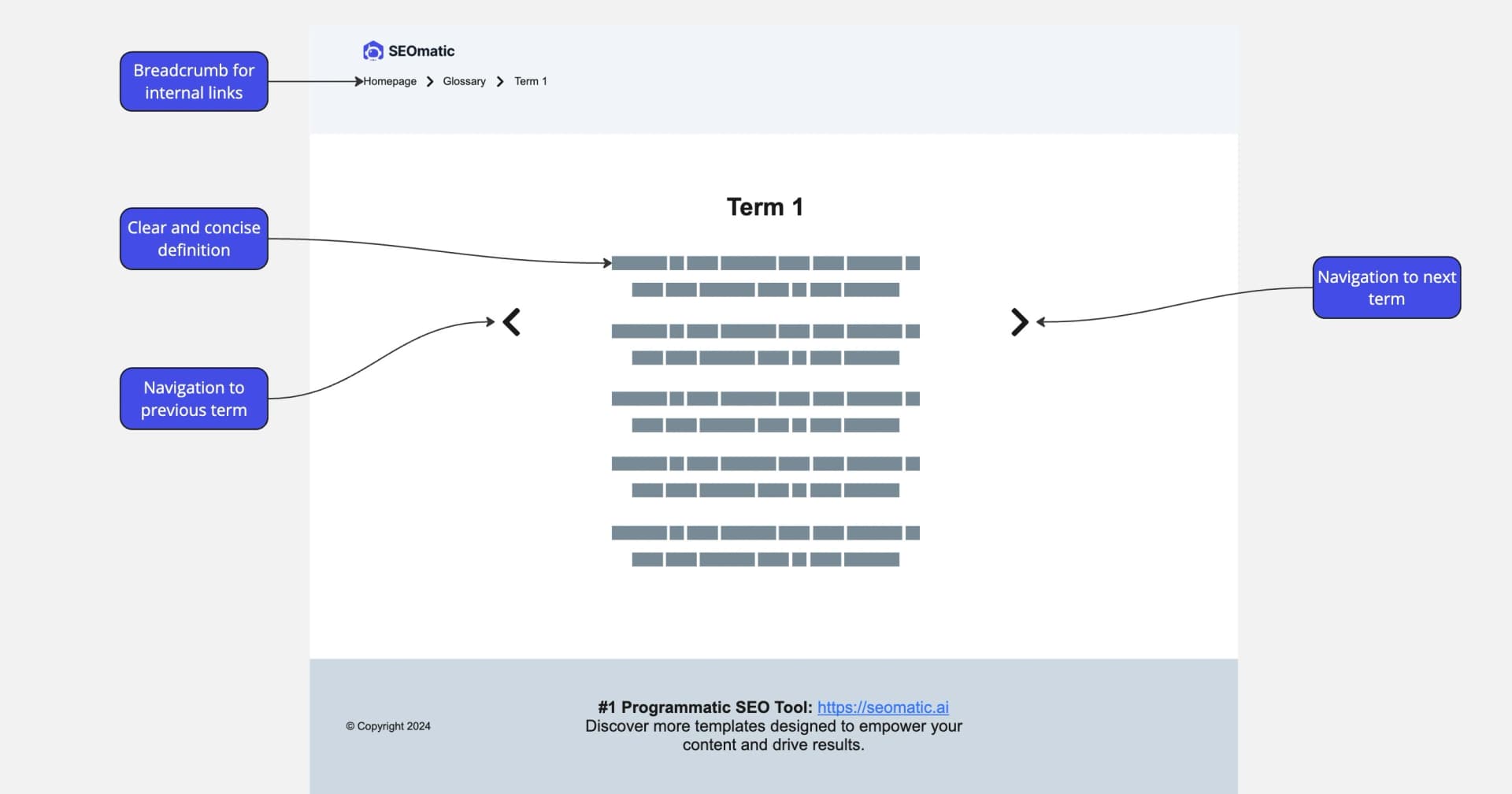
This free Glossary Page Template helps you organize and define key terms, simplifying navigation and improving user understanding. Perfect for any website, it enhances clarity, boosts SEO, and ensures visitors easily find the information they need. Whether building authority or improving user experience, this template delivers results.
A glossary page is a dedicated section on your website designed to define and explain key terms, phrases, or concepts related to your industry or business. Its primary goal is to improve user understanding, enhance website navigation, and provide a valuable resource for both new and returning visitors.
Glossary pages can also boost SEO by targeting relevant keywords and helping search engines better index your content. By clearly presenting important terms, a glossary page strengthens your brand authority and ensures a smoother user experience.
A poorly structured glossary page can confuse users, reduce engagement, and hurt your site’s SEO.
To avoid this, your glossary page should:
• Improve content discoverability
• Enhance user experience through intuitive design
• Build trust by providing clear, accurate definitions
Our tested glossary page template addresses these challenges, offering a professional framework to help users quickly find the information they need while boosting your website’s credibility.
An effective glossary page acts as a resource hub, making it easy for visitors to understand complex terms and concepts.
Here’s what you should include:
• Alphabetical Organization: Arrange terms alphabetically to help users quickly locate what they’re looking for.
• Key Terms and Definitions: Clearly define terms in simple, user-friendly language.
• Search and Filter Options: Enable users to quickly find specific terms.
• Internal Links: Connect terms to related pages or resources to encourage further exploration.
Use concise, action-oriented CTAs like “Learn More” or “Explore Our Glossary” to guide users through your content effectively.
Table of Contents
Megha Goel
B2B Content Writer
Megha Goel is our Content Marketer at SEOmatic, combining her technical background as a former software engineer with her talent for creating clear, engaging content.
Real results from teams generating and publishing high-volume pages without increasing headcount.
Will Hawkins
Marketing Director @Digi-Business UK
Nick Berns
Agency Owner @BlueLightWeb
Milan Motavar
Product Manager @Mastercard
Ben Farley
SaaS Founder @Salespitch
Tom Baker
CEO @Solarmate
Joseph Lee
CEO @Supademo
Swarnendu Mandal
Head of Growth @Hoichoi TV
Lauren Wong
Chief of Staff & Operations @Arphie AI
Aaron Van Beilen
Registered Psychotherapist @Self-employed